AtelierRelay

Capture the idea.Build the project.Relay the work.

Begin with a single note and let it grow in the Atelier, keeping its thinking, references and material connected as it develops—then Relay that context wherever it needs to go.

Download for Windows(coming soon) Download Beta
Atelier

Start with the idea. Build the project around it.

Begin with a note, plan or rough direction, then build on it in the Atelier with the notes, references and supporting material the work needs. Bring in AI when useful to explore directions, organise the material or refine the work, while everything stays connected as the project takes shape.

Relay

Give project agents the context behind the code.

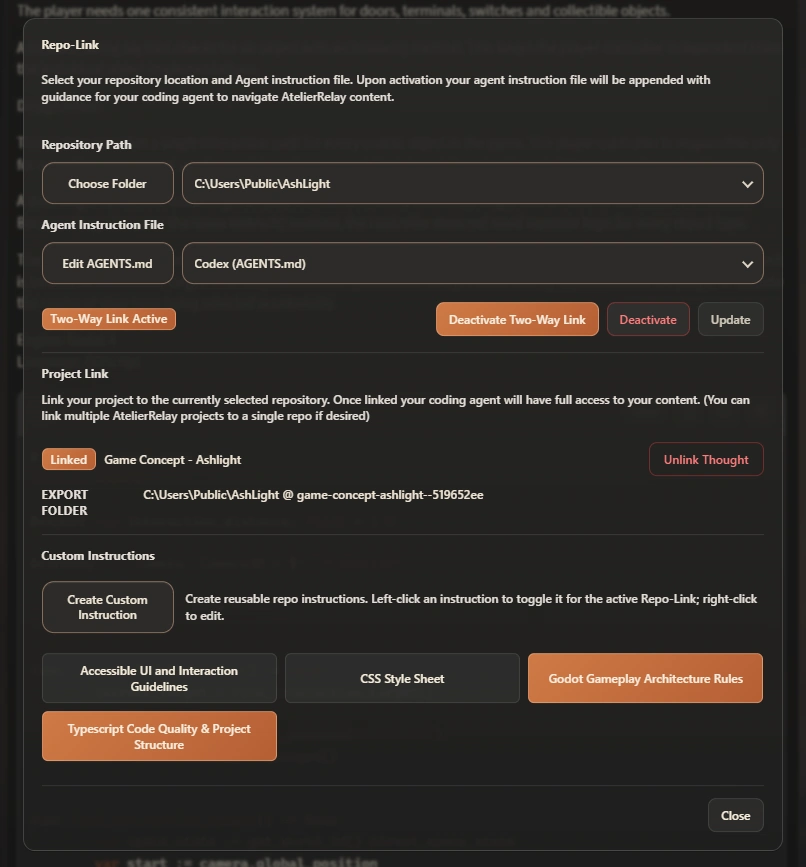
Repo-Link keeps the project’s assembled material and custom instructions in the repository as a fully indexed context layer that agents can navigate alongside the code. With Two-Way Link active, the in-app conversation can also inspect safe repository files on demand, bringing the codebase and the context behind it into the same discussion without preloading the entire repo.

The same AtelierRelay material can also be shaped into a polished, shareable document with CreatePDF, or packaged as a Relay Export Bundle for editable transfer or backup.

Atelier

The workshop where a thought becomes a project.

Atelier is where the project takes shape. Use the rich note editor to write and organise the work, with separate tabs, formatting, dictation and titled code blocks available when needed.

Save links, images, documents and other media directly into the project instead of leaving them scattered across browser tabs and files. Open them beside the work, or add useful items to Notes as structured reference blocks that can be arranged within the note and carried through into documents generated from the project. Built-in tools assist with practical tasks such as quick calculations and conversions. Sketchpad gives you a quick way to create new visual material or mark up and edit existing images, which can be saved as stacked variants of the original or as separate assets.

Open a project in Expanded View for a focused look at its material, then move into Fullscreen when you need a larger, configurable workspace. Choose which panels are visible, resize them around the work, and keep links, media or an AI conversation open beside the active material. Each project retains its own Fullscreen layout, so it reopens exactly as you left it.

Working views

One project, three scales of workspace.

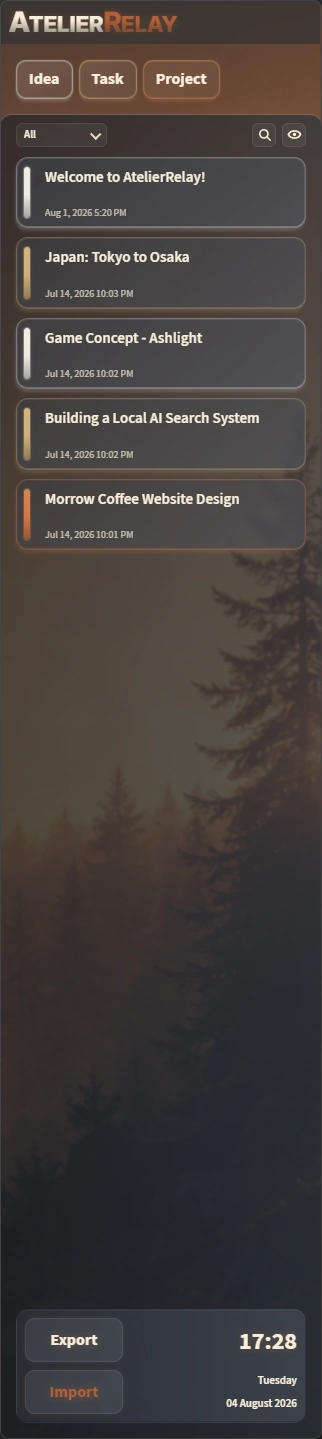
AtelierRelay Home View as a compact panel that can be docked to either edge of the desktop.

Home view

Choose where to begin.

Home View is the compact index for your ideas, tasks and projects. Create new items, search, filter or reorder existing items, and mark any as priority to keep important work at the top. Dock it to either edge of the desktop for quick access.

Expanded view

Bring the Atelier into view.

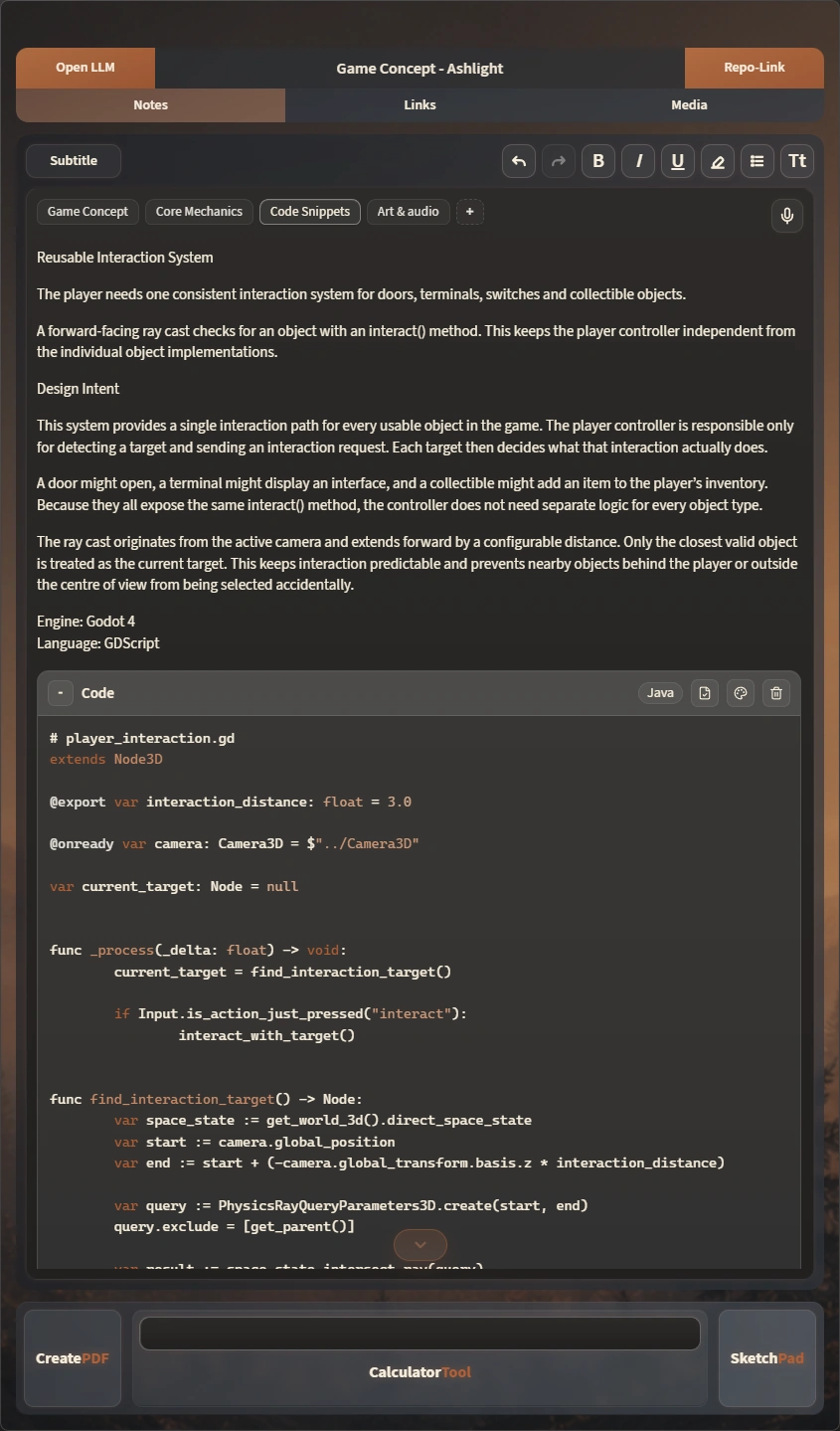
Click a project to open its Atelier as a focused, scrollable workspace. Notes, Links and Media remain available as tabs within the same view, with three preset widths controlling how much of the desktop the workspace occupies.

AtelierRelay in Expanded View with one configurable panel open as a focused, scrollable workspace occupying roughly one third of the display.

Fullscreen view

Open the complete Atelier.

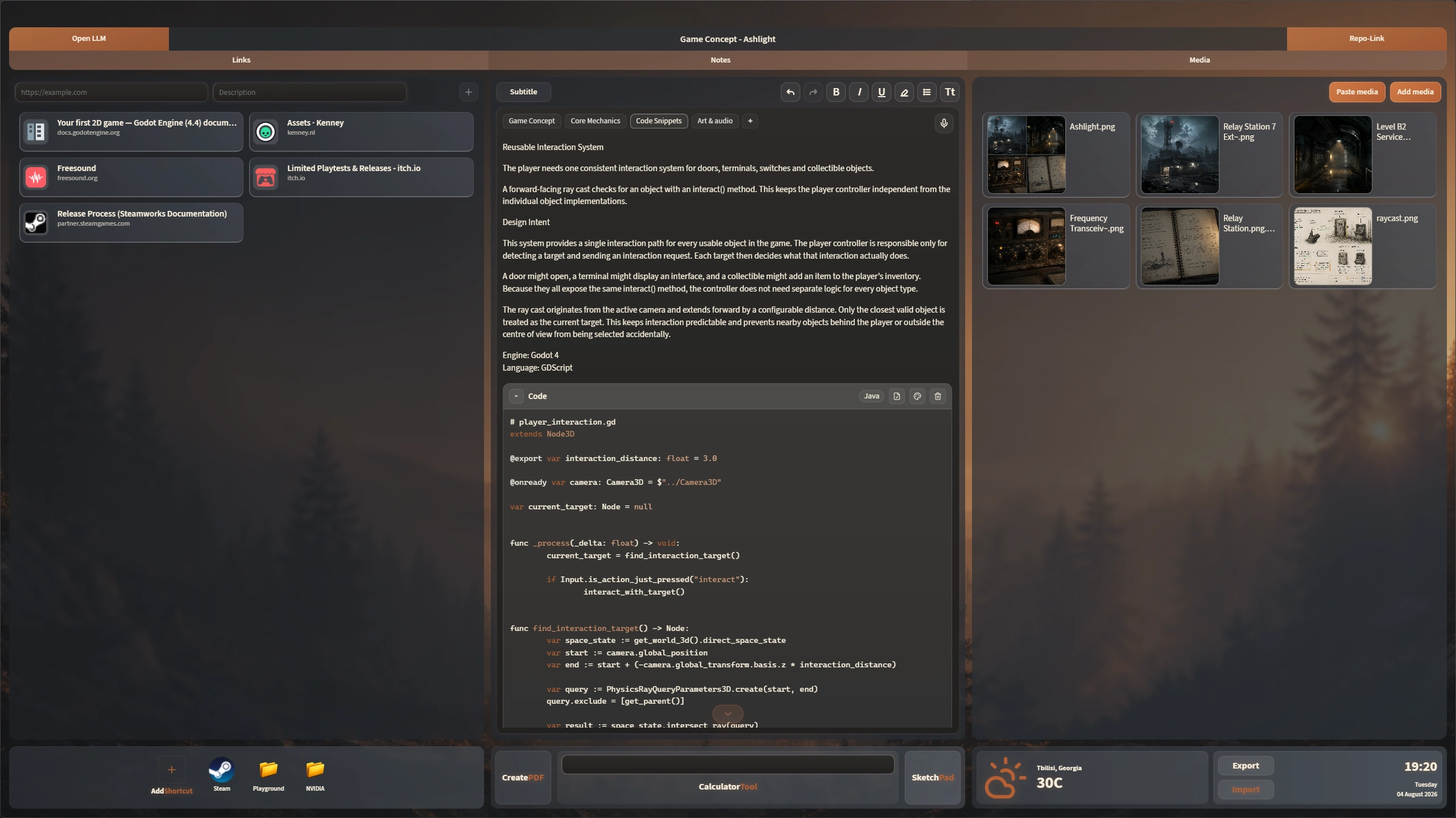
Fullscreen View turns the chosen display into a complete project workspace, bringing its main working areas together in one view. Links, Notes and Media occupy dedicated re-sizeable columns, with supporting tools below, while each project remembers the layout created for it.

A developed AtelierRelay project in Fullscreen View with described links, tabbed notes and code, related media, tools, and an open supporting diagram.

Adapt the Atelier

Arrange the workspace around the work.

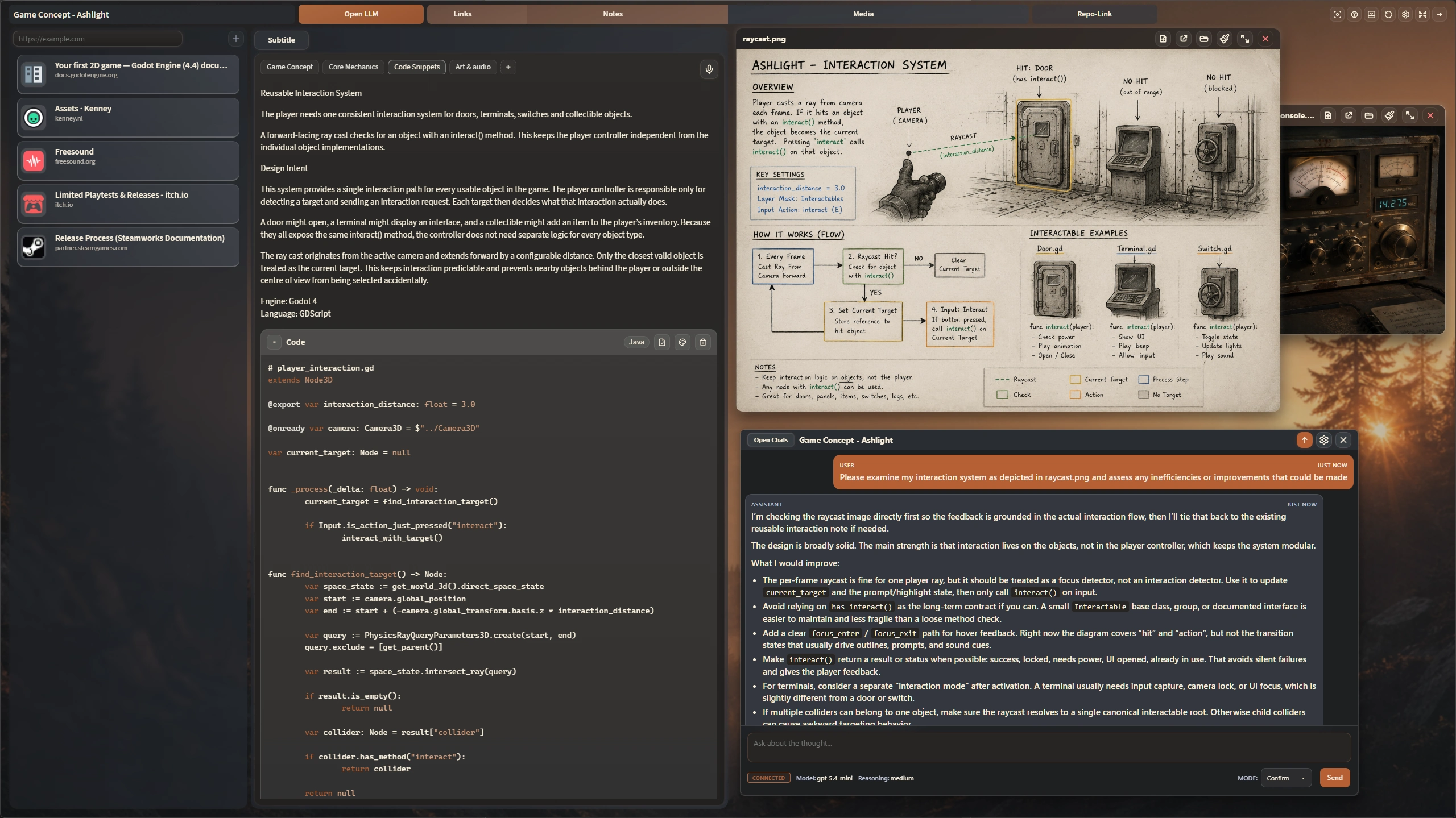
Resize panels to give the active material more room, or close the areas the project does not currently need. Keep media items open beside the notes they support, bring an optional AI conversation into the same working view, and switch to Minimal mode when you want the interface to recede and return more of the screen to the project. The Atelier can be shaped into a focused layout for each stage of the work instead of forcing every idea through the same fixed arrangement.

AtelierRelay in Minimal mode with resized panels, a project note, an open supporting diagram, media, and an optional AI chat arranged together.

Connected material

Keep references in view—and in context.

Links, images, documents and other media remain part of the project they support. Open one or several in embedded viewers without leaving the workspace, or place them in separate native windows across a multi-display setup when the project needs more room.

Send Links and Media into Notes as structured, readable references rather than loose URLs or file paths. Those references remain connected to their source and carry through cleanly into generated PDF and HTML documents. Images can also be opened in Sketchpad, marked up, and saved back into Media as new assets or related variants.

Optional AI

Work with AI grounded in the project context.

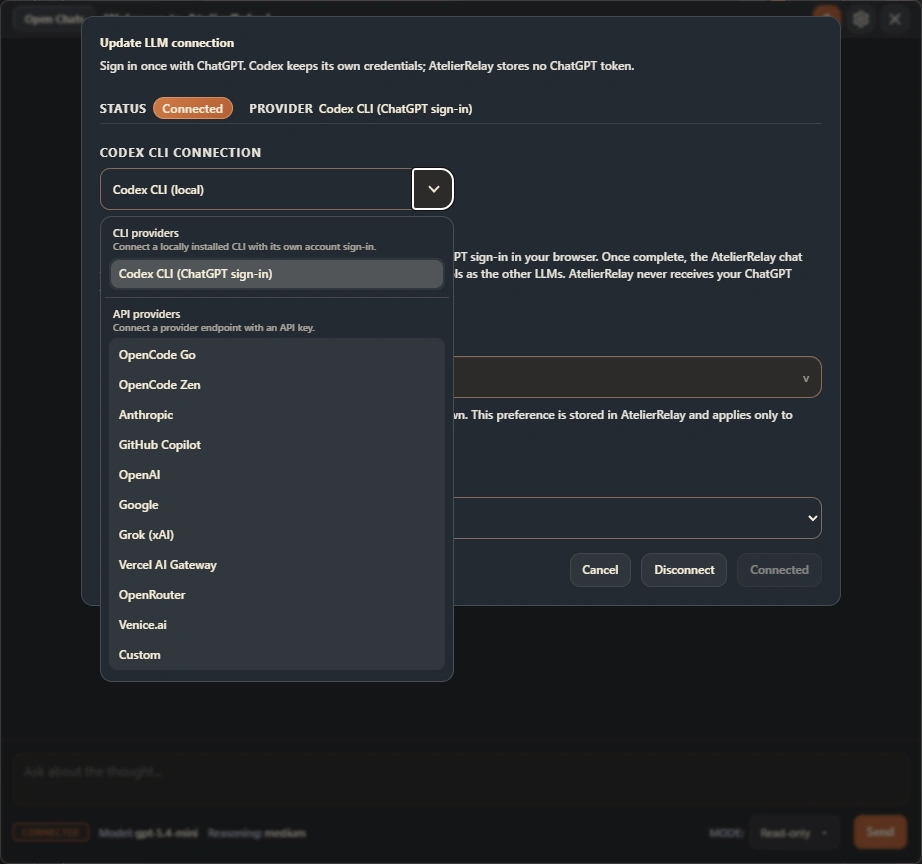
Connect a supported API provider, a custom OpenAI-compatible endpoint, or an installed Codex CLI using ChatGPT sign-in. Each conversation is scoped to the active project and can work from its current notes, described links, supported images, open references and imported PDF text—and, when Two-Way Link is active, inspect safe files in its linked repository on demand.

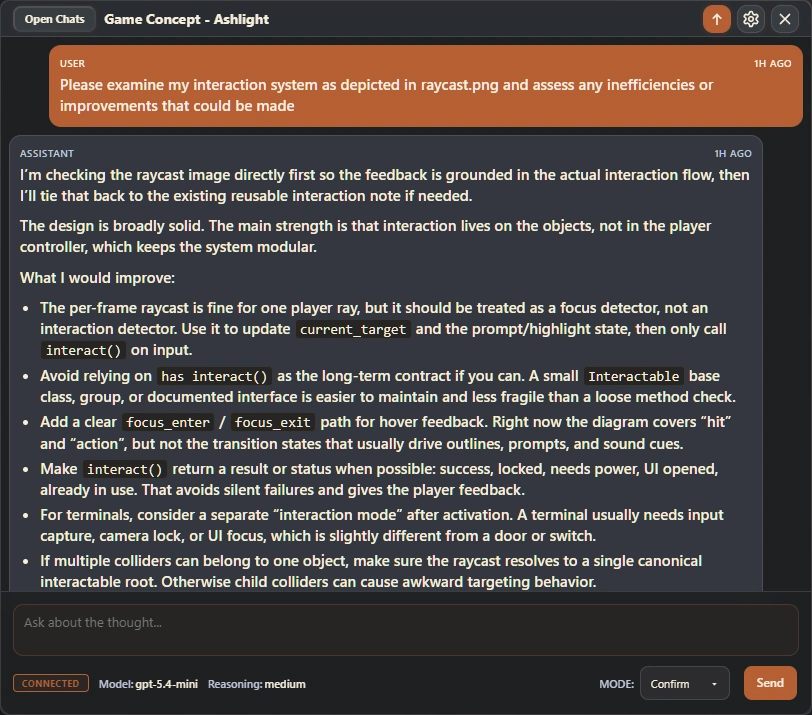
Choose Read-only for analysis, Confirm to review each supported change, or Autonomous for bounded actions within that project. Keep separate conversations for research, critique or action without repeatedly rebuilding the background.

Choose your AI routeUse an installed Codex CLI, a supported API provider or a custom OpenAI-compatible endpoint.
AtelierRelay’s optional AI connection setup showing Codex sign-in and the available CLI, API-provider and custom connection routes.
Control what it can changeKeep a conversation Read-only, approve proposed actions through Confirm, or allow supported actions within the current project through Autonomous mode.
An open AtelierRelay AI chat discussing the active project and responding with detailed, project-specific recommendations.

Desktop presence

Starts close at hand. Steps back when you don’t need it.

Use Ctrl + Alt + Space to show or hide AtelierRelay from anywhere, or Ctrl + Alt + N to capture a new thought near the cursor. When left idle, Home can withdraw into the Sidebar Rail or reduce further to the movable Mini-Brain, keeping project context close without leaving a full window on screen.

Sidebar rail

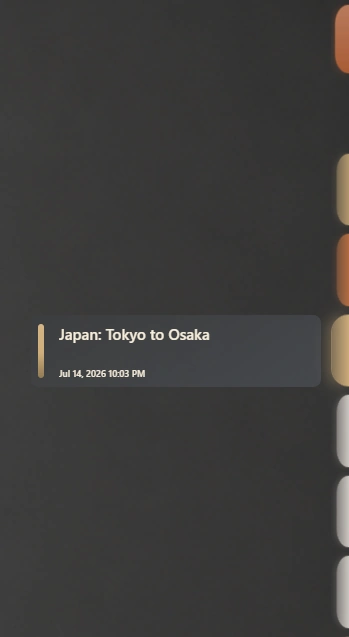
After inactivity, Home View recedes into a slim rail, leaving project markers at the screen edge as a quiet visual reminder of active work. Hover a marker to reveal its associated item without bringing the full app back into view.

Mini-brain

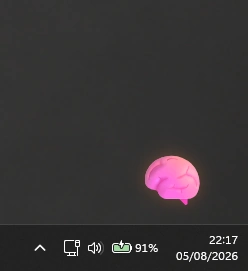
For the lightest desktop presence, AtelierRelay can minimise after inactivity into the movable Mini-Brain. Place the icon where it suits your desktop, then click it whenever you want to restore the app.

AtelierRelay reduced to its movable Mini-Brain icon above the Windows taskbar.

Themes and customisation

Give every project its own visual identity.

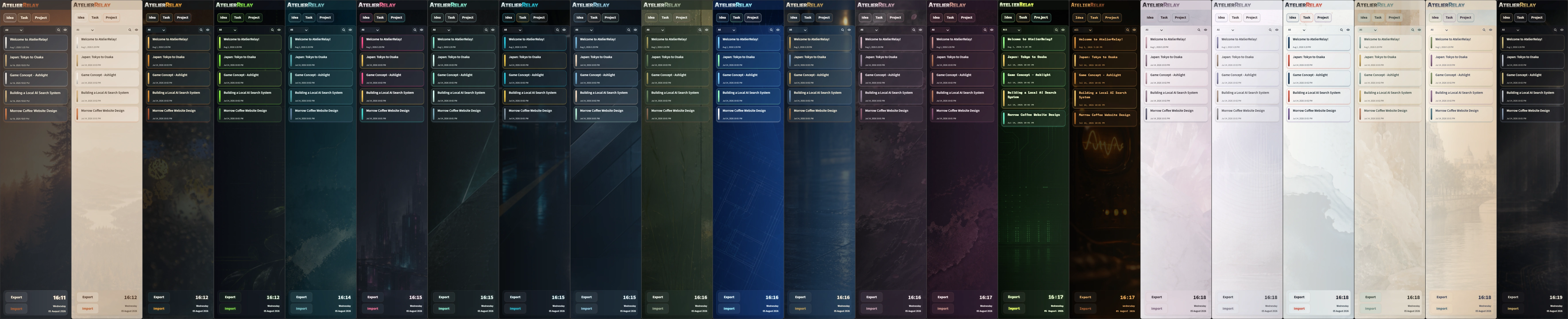
Choose from themes built around distinct colours, interface treatments and backgrounds. Every theme can be used with its background image enabled or removed, while selected themes also include optional video backgrounds.

The current theme can be used as the visual source for PDF and HTML output, allowing exported work to retain the same character when that suits the document. Planned Premium controls extend this into full theme authoring, finer interface density and typography control, and deeper PDF presentation settings.

Explore the collection and switch background imagery on or off to compare both forms of each theme.

Upcoming Premium

More control over how the workspace looks, reads and leaves the app.

Planned Premium features provide deeper control over AtelierRelay’s appearance, interface density, typography and PDF presentation, including full theme authoring through Color Lab. Build themes around your own images or video backgrounds, then shape the colours, gradients, glass and interface treatment around them.

AtelierRelay for Windows

Build it in the Atelier. Send it through Relay.

From first capture to final handoff, AtelierRelay keeps the context behind the project connected and ready for the next person, tool or repository.

Download for Windows(coming soon) Download Beta

Unsigned early-access beta. Windows may show a SmartScreen warning; download only from the official AtelierRelay GitHub releases page if you understand and accept that risk.

Core project data is stored locally on your computer. Optional AI and connected services are used only when you invoke them.

Microsoft Store link pending.